
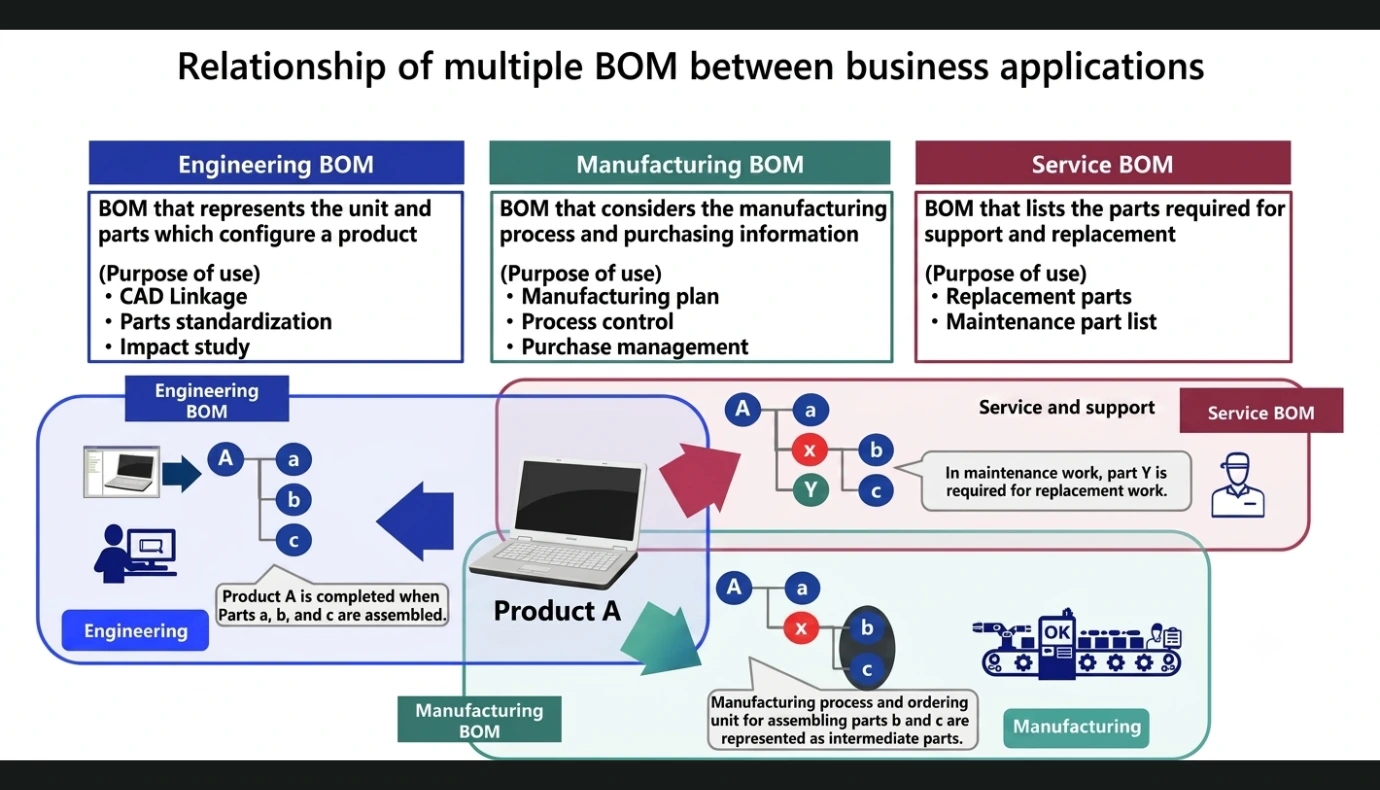
There have been hundreds (if not thousands) of LinkedIn posts that discuss Engineering BOM (E-BOM), Manufacturing BOM (M-BOM), and Service BOM (S-BOM), as well as the BOM of the Top Level Assembly (TLA) of the Product as it is impacted by Engineering Change Orders over time.
The discussions have generally viewed these Bills of Materials (BOMs) as individual structures that support each silo of users (PLM vs ERP vs …), which requires that there be some form of overseer to ensure that changes to a given BOM (such as in the PLM silo) have to be reviewed for its impact on the M-BOM or the S-BOM or …
Using the Parent-Child Relationship (Overloading the Link)
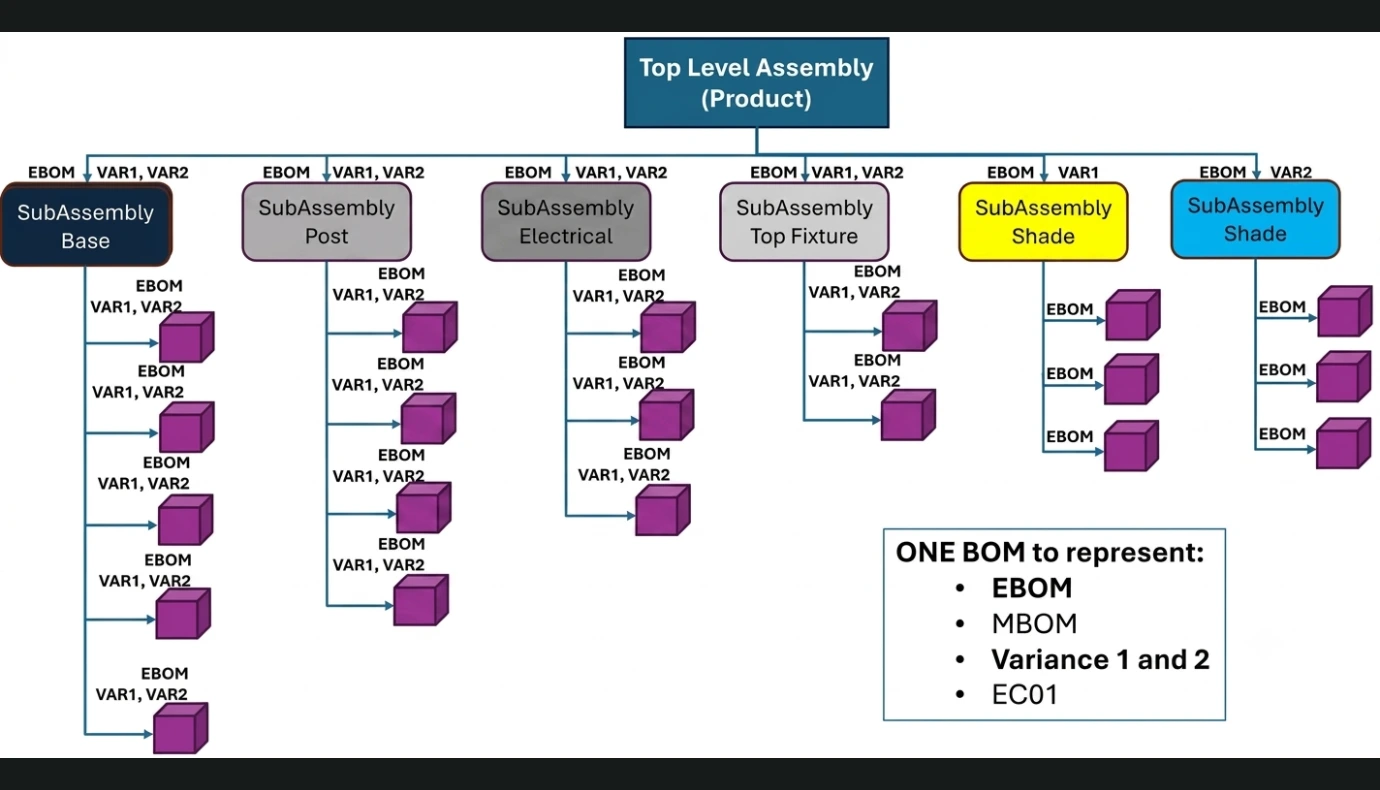
The purpose of this document is to introduce what should be the solution for companies to leverage ONE BOM to support the definition of any number of BOMs. This means that the below BOM is currently profiled to be what Engineering must have visibility of as the design the below Lamp.
As you can see, the below TLA demonstrates that there is a set of characteristics that enable the BOM Viewer to filter based on the E-BOM and it supports two different Shade variations (VAR1 and VAR2).
The overloading of the link achieves solving the multiple BOM variations without duplicating any of the BOM structure. To change anything in the below BOM will immediately affect both variations.
The ONE BOM Concept in Manufacturing
When this E-BOM with two variations (VAR1 and VAR2) is released to Manufacturing, the Manufacturing Engineer simply opens the BOM and selects or adds whatever is necessary to fully represent the Lamp as it should be produced.
As the Parent to Child relationships are “assigned” the M-BOM label, the ONE BOM has the ability to now show this TLA as it is viewed in Manufacturing. You will notice that the SubAssembly “Base” does not have all the Parts that are represented in the E-BOM.
This is because the M-BOM sources that out and therefore only the sourced SubAssembly “Base” is represented.
Notice (also) that both variations are visible in the M-BOM configuration and (like the SubAssembly “Base”), the two SubAssemblies representing the two variations only shows the Purchased Subassemblies (“Shade”) for VAR1 and VAR2.
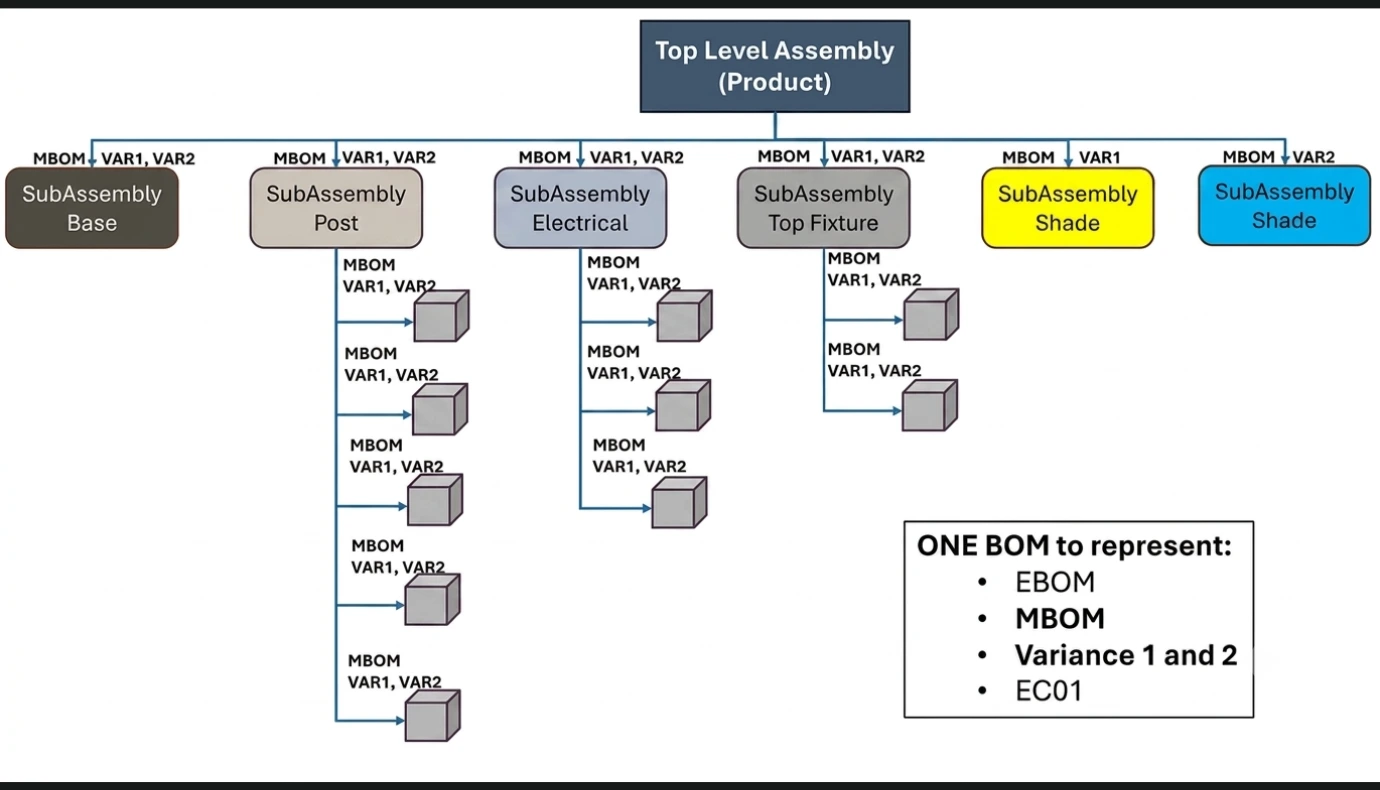
Therefore, we have been able to support the E-BOM and the M-BOM with both “Shade” variations. This is achieved by overloading the Parent to Child Links and being able to apply the M-BOM, VAR1, and VAR2 to the BOM Viewer filter.
Applying Engineering Change to the ONE BOM solution
As is generally the case in the life of a product that someone will initiate an Engineering Change Request (ECR) that (when approved) will enact change to the TLA “Lamp” via an Engineering Change Order (ECO).
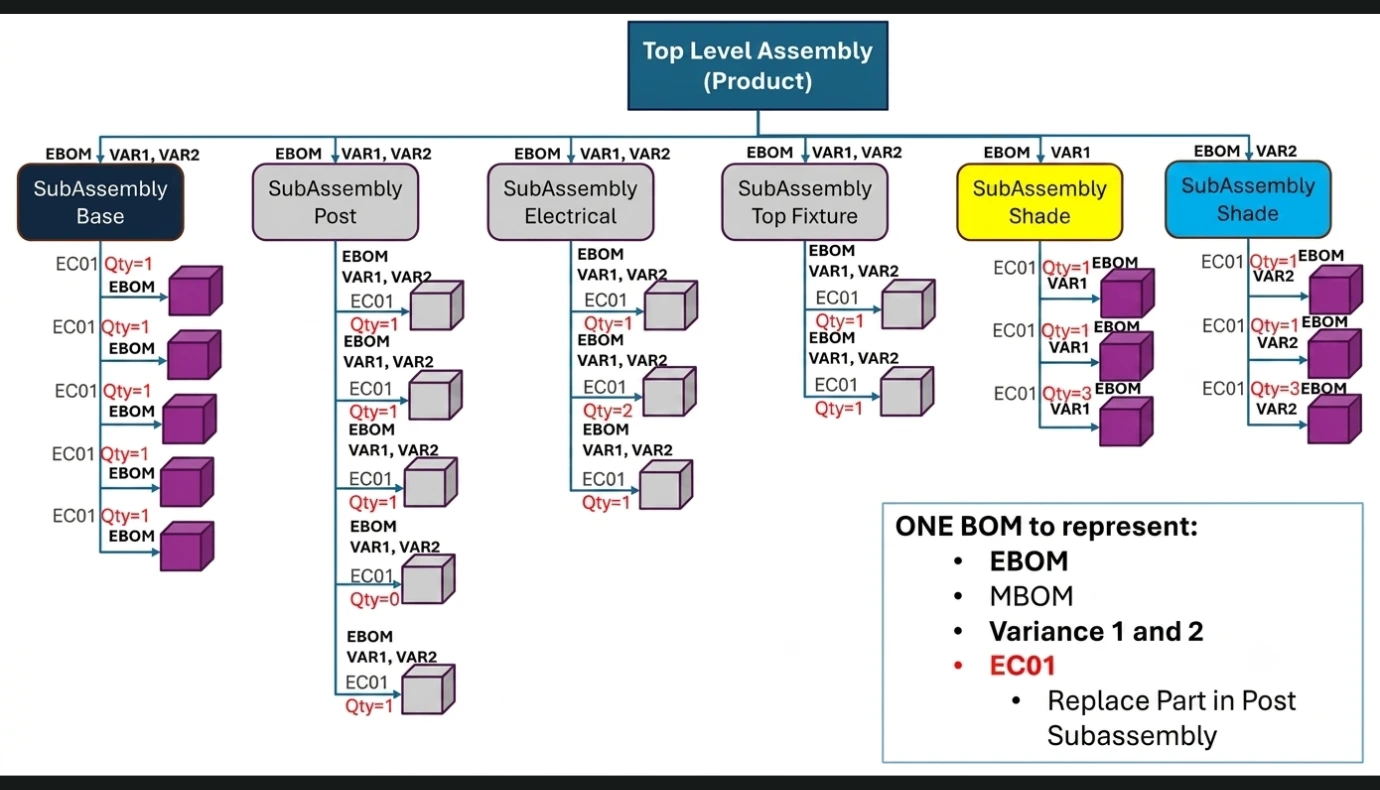
To support the application of ECO1 “Replace Part in Post SubAssembly” the BOM editor automatically profiles the E-BOM as it was last represented (Revision 1 of the TLA). The Quantities are visible. The Engineer places a Quantity of zero (0) on the bottom part in the SubAssembly “Post” and adds the replacement Part with a Quantity of one (1).
Conclusion
To conclude this article, it is imperative that those leveraging PLM for multiple views of their Product TLA BOM, that it be performed by Overloading the Parent to Child Link as represented in this article. If your vendor does not provide a PLM offering that enables this type of link-level configuring of attributes, then that should be the first you ask your vendor: “When will this be available in their product?”.
If you want to achieve this level of reuse of BOMs and need assistance with solution definition or design or implementation, then Contact Digital Solution Group (using Brion@digitalsolutiongroup.net or call +1-603-566-5382) to discuss your options.